Local records first
Invoices, payments, clients, products, and expenses live in a local SQLite database. Cloud synchronization is an optional layer.

Desktop app · PROJECT BREAKDOWN
An offline-first invoicing workspace for clients, invoices, and financial reports. Your everyday business tools, together in a clean desktop app.
Create invoices, manage clients, and understand how your business is doing without making a cloud account the starting point. Local SQLite storage keeps the main workflow available offline, with optional Firebase sync.
Invoices, payments, clients, products, and expenses live in a local SQLite database. Cloud synchronization is an optional layer.
An invoice editor, client records, payment tracking, and reports share one workspace instead of separate spreadsheets.
PDF invoices and receipts, filtered financial reports, and CSV exchange turn stored records into useful business documents.
Windows desktop · Business workflows · Local database · Optional sync
The core parts of the project, and the responsibility of each.
The main process owns database access, PDF generation, and domain-specific handlers exposed through the preload bridge.
Pages and reusable components organize the dashboard, editors, reports, settings, and recovery tools.
Local SQLite records support offline work; optional Firebase authentication and Firestore synchronization connect an organization.
Create a client
Prepare an invoice
Record payments
Review or export reports
The features, boundaries, and implementation choices that shape the project.
Invoices support line items, taxes, discounts, duplication, and voiding. Payments include partial payments and refunds, alongside categorized expenses.
Classic and Modern invoice templates, receipt PDFs, and financial report PDFs share the document generation layer. CSV supports record exchange.
Backup and restore, soft deletion with a recovery view, and audit logging help keep local records manageable.
English and Dari interfaces include right-to-left layouts. Light, dark, and system themes support different working environments.
Real views of Invoice Manager.
Select a screenshot to view it in full.
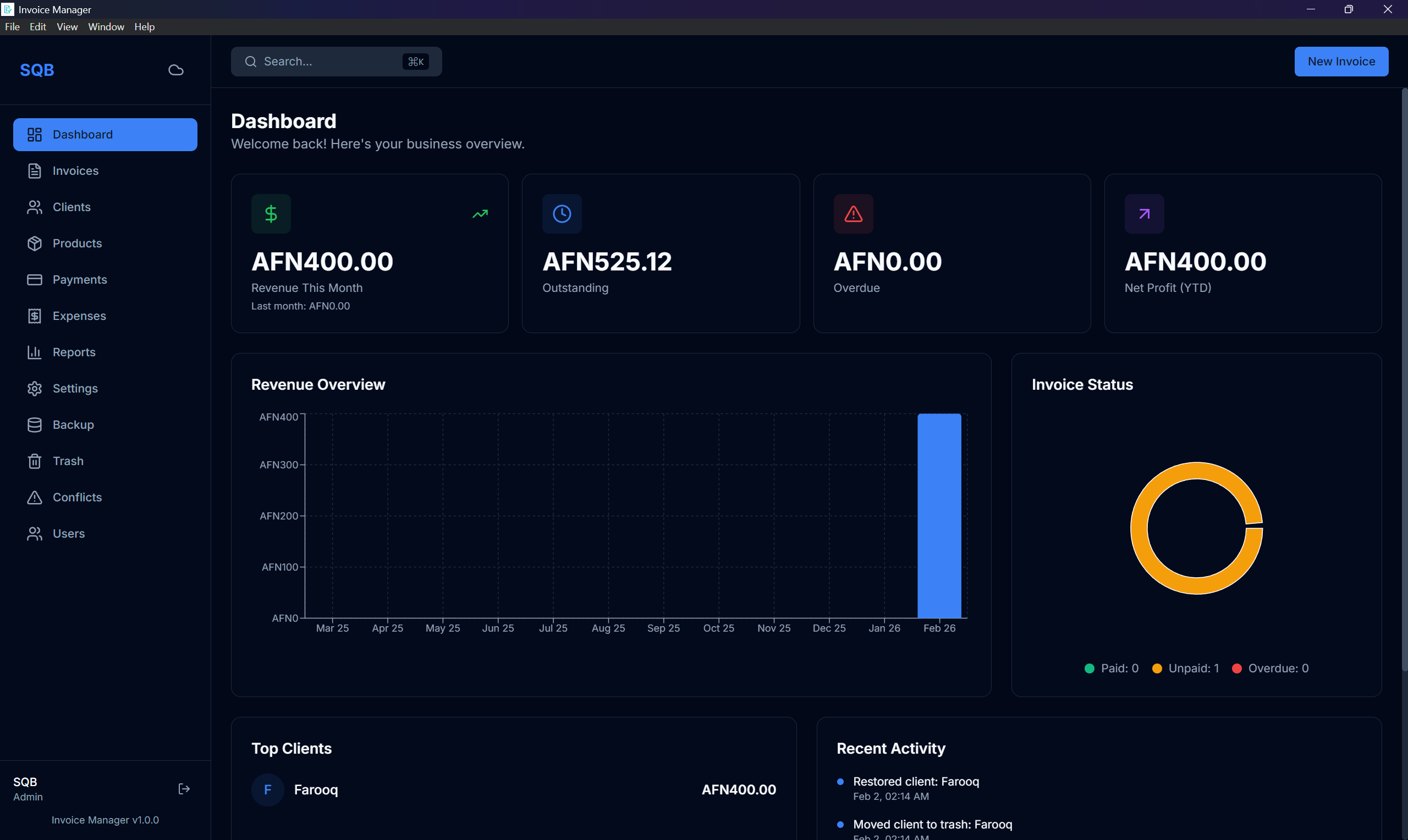
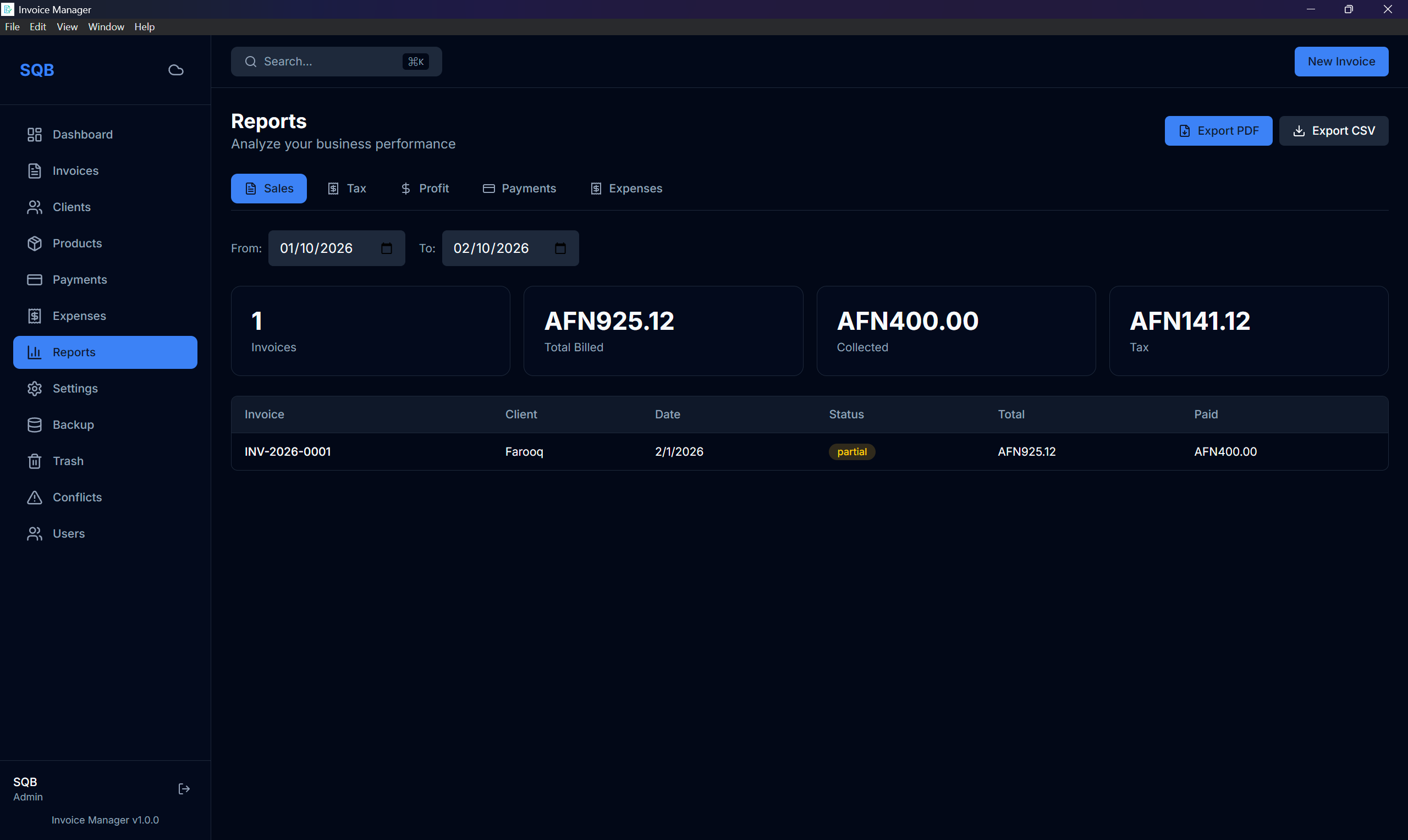
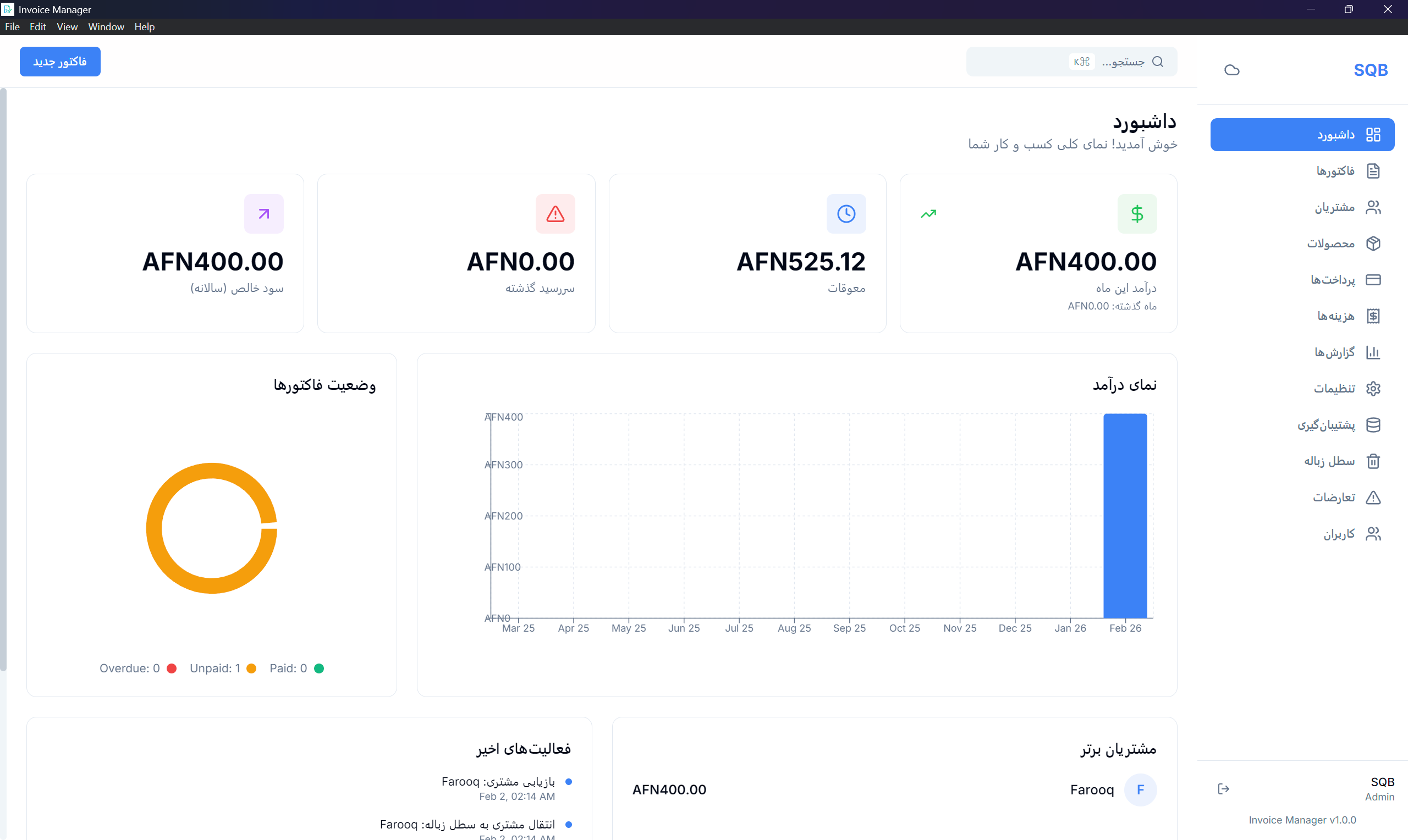
What the project uses, and where each technology fits.
Runs the Windows application and owns native process, database, and file access.
Creates the business screens, reusable forms, and application layout.
Stores the working database locally without requiring a remote database for every operation.
Handles editor inputs and shared record validation.
Presents dashboard charts and produces invoices, receipts, and financial PDFs.
Adds accounts, organization records, and synchronization when configured.
How to explore the project, what it needs to run, and the current release status.
The project targets Windows, with Electron packaging and a documented installer build.
The public repository includes setup, architecture, build, and customization instructions.
Local work and optional cloud sync are separate concerns. Sync requires a configured Firebase project and authorization rules.