Use the host's extension system
The plugin loads through Lenovo Legion Toolkit's Station system rather than modifying the host application.

Community plugin · PROJECT BREAKDOWN
A Quick Settings flyout for Lenovo Legion Toolkit, with live hardware information and the laptop controls you use most.
A small interface can make a large difference to everyday use. This community plugin brings hardware readings and common Legion controls into a keyboard-accessible flyout.
The plugin loads through Lenovo Legion Toolkit's Station system rather than modifying the host application.
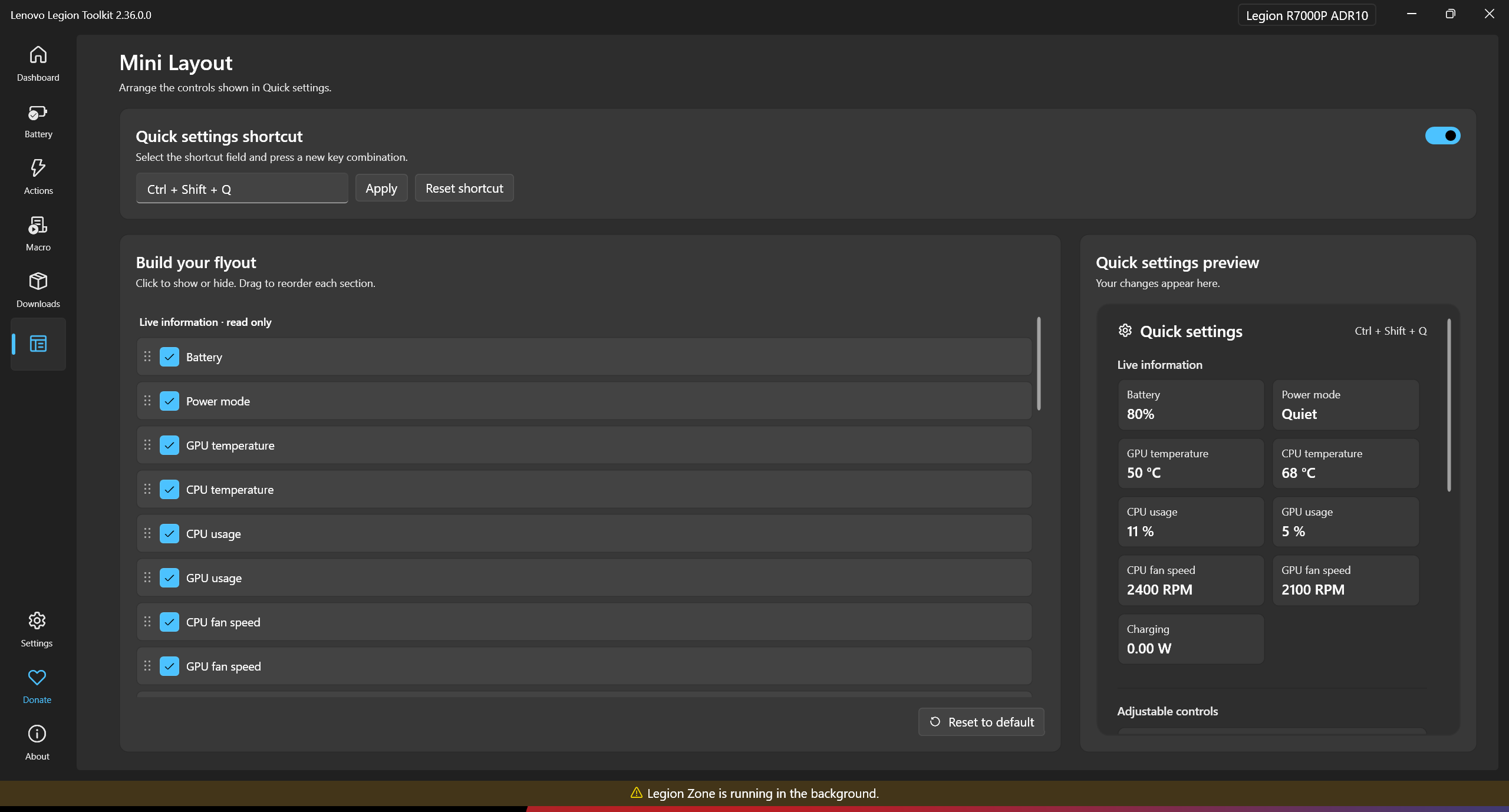
Mini Layout supports showing, hiding, and reordering items, with a live preview and saved preferences.
Sensor tiles and controls depend on the laptop and the APIs LLT exposes. Unsupported controls are hidden.
Windows plugin · LLT Station API · WPF interface · Hardware controls
The core parts of the project, and the responsibility of each.
Connects the plugin provider and available hardware operations to the existing LLT host.
Implements the compact control panel, Mini Layout configuration, and theme integration.
Builds the DLL and packages plugin ZIPs, with tagged releases and CI artifacts.
Open the shortcut
Read live information
Adjust a supported control
Configure Mini Layout
The features, boundaries, and implementation choices that shape the project.
Ctrl+Shift+Q is the documented default; the shortcut can be changed in Mini Layout.
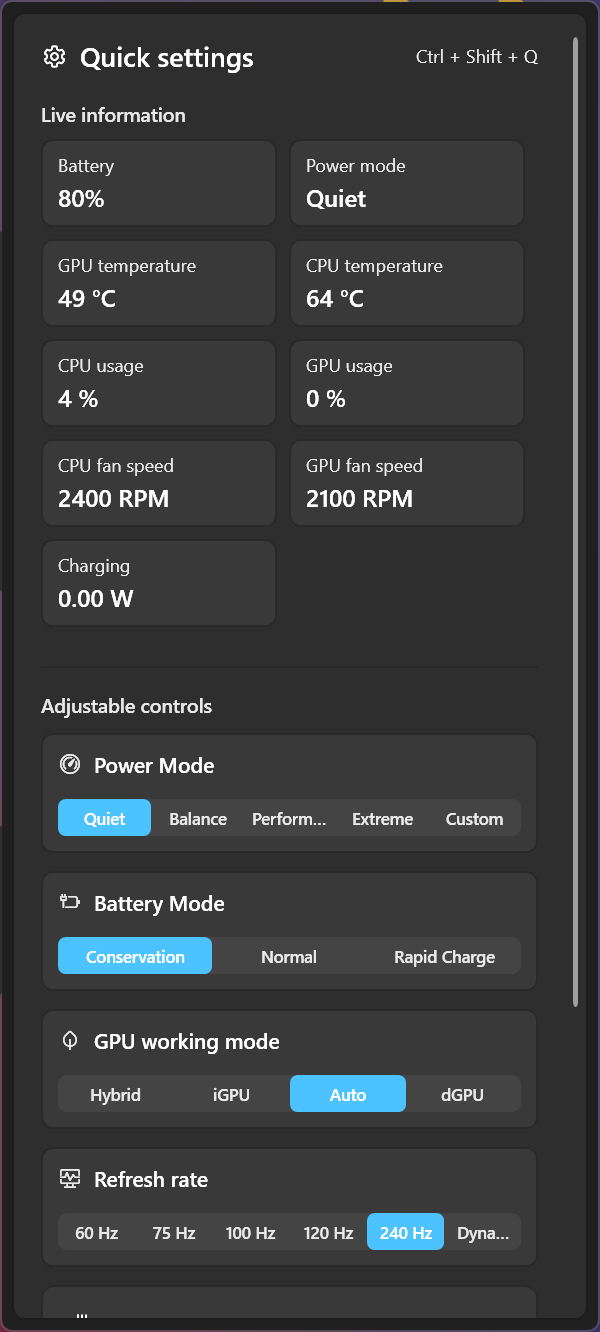
Battery, temperature, utilization, and fan-speed tiles appear where the host supports them.
The flyout includes supported power, battery, refresh-rate, and GPU controls, with discrete GPU actions.
The package distributes the plugin DLL rather than bundling the LLT host and its runtime dependencies.
Real views of Legion Quick Settings.
Select a screenshot to view it in full.
What the project uses, and where each technology fits.
Builds a Windows-targeted plugin library.
Creates the flyout, settings page, and host-aligned UI.
Supplies plugin integration and supported hardware operations.
Builds and packages the DLL, CI artifacts, and tagged releases.
How to explore the project, what it needs to run, and the current release status.
The documented requirement is official LLT 2.34.0.0 or newer with the Station extension loader.
Available controls depend on the laptop and LLT's exposed APIs. The project does not implement fan-curve control.
Compilation is documented; runtime behavior should be checked on the target system. This remains a community plugin.
A community plugin for Lenovo Legion Toolkit. Refer to the repository for installation and supported versions.